Coordination
One contact list for the entire team: no more outdated versions
Emailing a contact list to your team creates as many different versions as there are recipients. How do you maintain a single, accurate list shared by everyone?
The MedTrucks Team
·
5 min read

Sending a contact file to your team creates as many versions as there are recipients. The right approach: provide access to a single list, linked to a shared registry, that everyone views at the same time.
The real risk is not the occasional wrong phone number. It is that from the day it is sent, every copy takes on a life of its own, and no one knows which one is accurate anymore.
A list that is accurate on the day it is sent does not protect you from anything. What matters is the path a correction takes to reach—or fail to reach—the person referring the next patient.
An export is a snapshot, not a working tool
An exported list freezes information on a given date, while reality keeps shifting. A doctor retires, a private-practice nurse changes territories, a facility closes a department or adjusts its on-call hours. These changes affect the source, never the copies already sent by email.
Shared access works the opposite way. Recipients do not receive the data; they receive permission to view a list that stays in one place. When a line is corrected, it is corrected for everyone, because only one copy exists.
However, a single copy is not enough. A shared list maintained by hand is only up to date if someone remembers to do it. Linked to a registry, it follows changes made at the source: your team only maintains what the source does not know.
Then there is the channel. As pointed out during the CPTS Vitry-sur-Seine health tech evening: sharing healthcare data via WhatsApp or Gmail is prohibited and carries administrative and financial penalties. As soon as a list circulates with details about a patient who needs a referral, it is no longer just a directory. Forwarding it within a messaging group is precisely the habit to break.
Why shared files degrade so quickly
Corrections do not travel upstream. When a coordinator comes across a wrong number, she fixes it in her copy and moves on to the next call. Her colleagues are left with the error. What she learned stays with her.
Errors are discovered at the worst possible time. No one reviews a contact list out of the blue. People open it in the middle of a referral, with a patient waiting for a solution. A failed referral is what exposes the outdated contact, and the patient pays for the delay.
No one owns it. A file saved on a shared drive has only one version, true. But no one is responsible for keeping it up to date. The moment someone leaves the team, the institutional memory of "who to call for what" leaves with them.
Six rules for a shared list that stays accurate
One list per care pathway, not per profession. One list for hospital discharges, another for palliative care, each listing the professionals who are actively involved.
Start from the master registry, never from an old file. Look up each provider in the registry and keep the original source identifier for every line.
Separate reference data from local knowledge. The actual point of contact, the direct line to the administrative desk, and referral preferences belong in dedicated fields. Never overwrite reference data with a local note: on the next update, one will wipe out the other.
Named user access, not a generic link. And editing rights restricted to those who validate updates.
A designated owner and a clear schedule. Assign someone to review error reports, and establish a regular review cadence, even if brief.
If you must export, treat it as a static snapshot. For an external partner without access or for a printed sheet, date the export and state where to find the authoritative version. The export becomes an intentional snapshot, not a working tool.
Export, shared file, or linked list: how to decide
Three questions are all you need to determine where you stand.
Indicator | A dated export is enough | A linked list is required |
|---|---|---|
Who refers patients using this list? | A single person, for a one-off task | Multiple care coordinators, every day |
What is the scope? | A handful of practices you call every week | An entire department, with openings, closures, and team changes |
Who do you share it with? | Your team only | External partners, for instance to coordinate care pathways within a CPTS |
As soon as multiple people use it every day, each additional copy creates discrepancies, and the cost of those discrepancies quickly outstrips the cost of a dedicated tool. If the list covers an area you do not know line by line, or must be shared outside your team without using standard email, shared access solves the problem. An attachment does not.
Let’s be honest about the trade-offs. A linked list makes you dependent on a tool, on your team adopting it, and on the format set by the registry. Your local knowledge must live in separate fields. In return, your team stops maintaining data that others already keep up to date, and your reviews finally focus on the insights only you possess.
What MedTrucks changes in practice
MedMapping relies on a registry of 2 million healthcare professionals and facilities, continuously updated. It links national registries (RPPS, FINESS, ROR) into a single, reliable, sourced dataset. You can find a healthcare professional in 30 seconds and view them on a map. To map out facilities across a department your team does not know yet, the map replaces hours of manual cross-referencing.
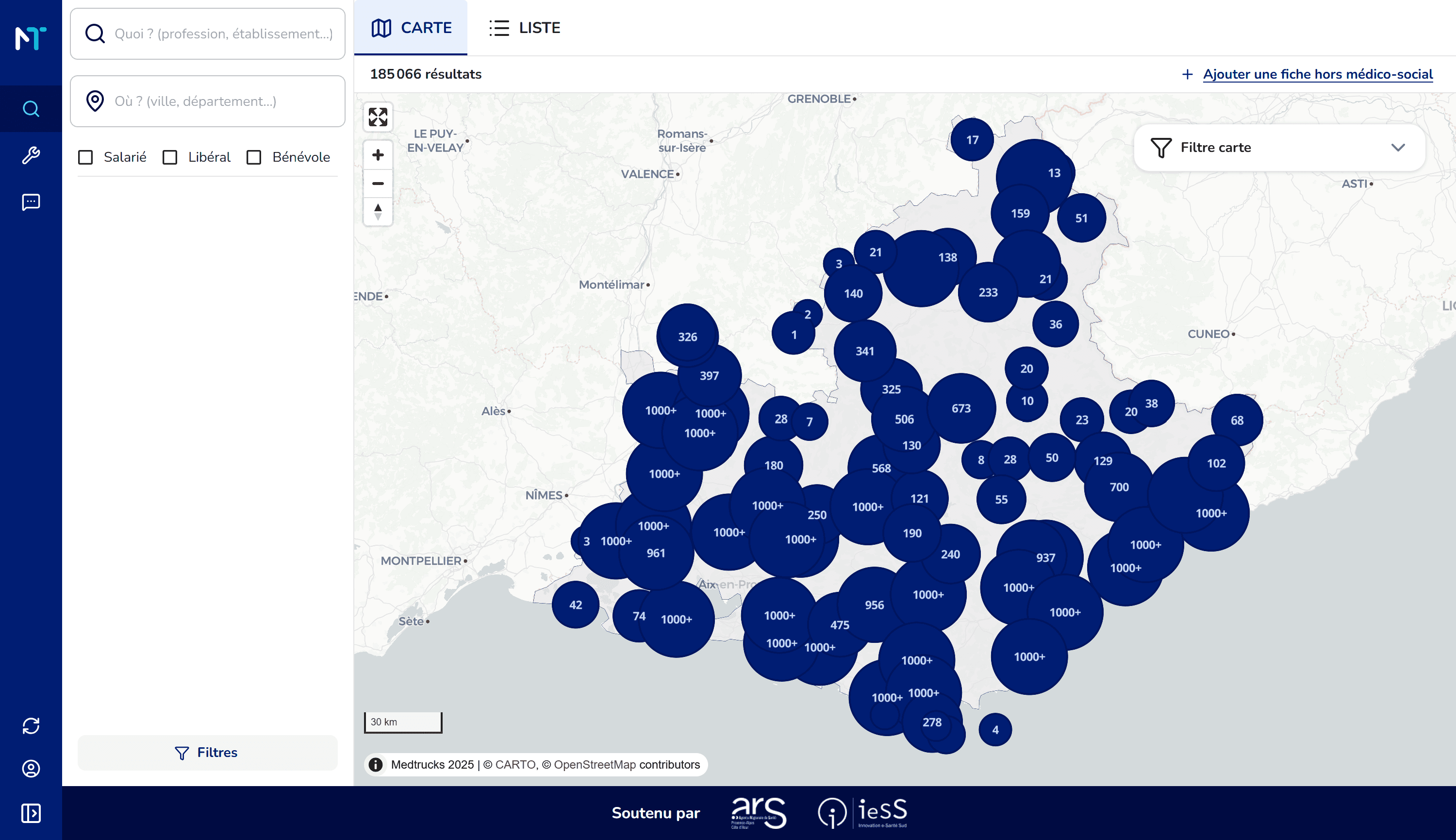
MedMapping: healthcare professionals in a territory, mapped out.
MedFlow provides ready-to-use lists of providers for each care pathway, easy to share across teams and partners. Structured referral forms capture all patient needs in one place. The list and the referral live in the same tool, instead of bouncing from a spreadsheet to an email inbox.

MedMapping: adding selected facilities to an existing or new list.
Data is hosted in France and fully compliant with GDPR.
Where to start
Start with the list your team uses today. Review it, pathway by pathway, and see what it would look like once linked to the registry.
Then reach out to us via our Contact Us page with that file in mind. It is the fastest way to see how many versions are already circulating across your team.
What about your region?
Get a free assessment of healthcare services in your area within 48 hours, with no commitment.

They manage healthcare across their regions with MedTrucks